Stay timely.
Never miss a meet.
Full-screen macOS alerts with one-click video call access.
Stay timely, every time.
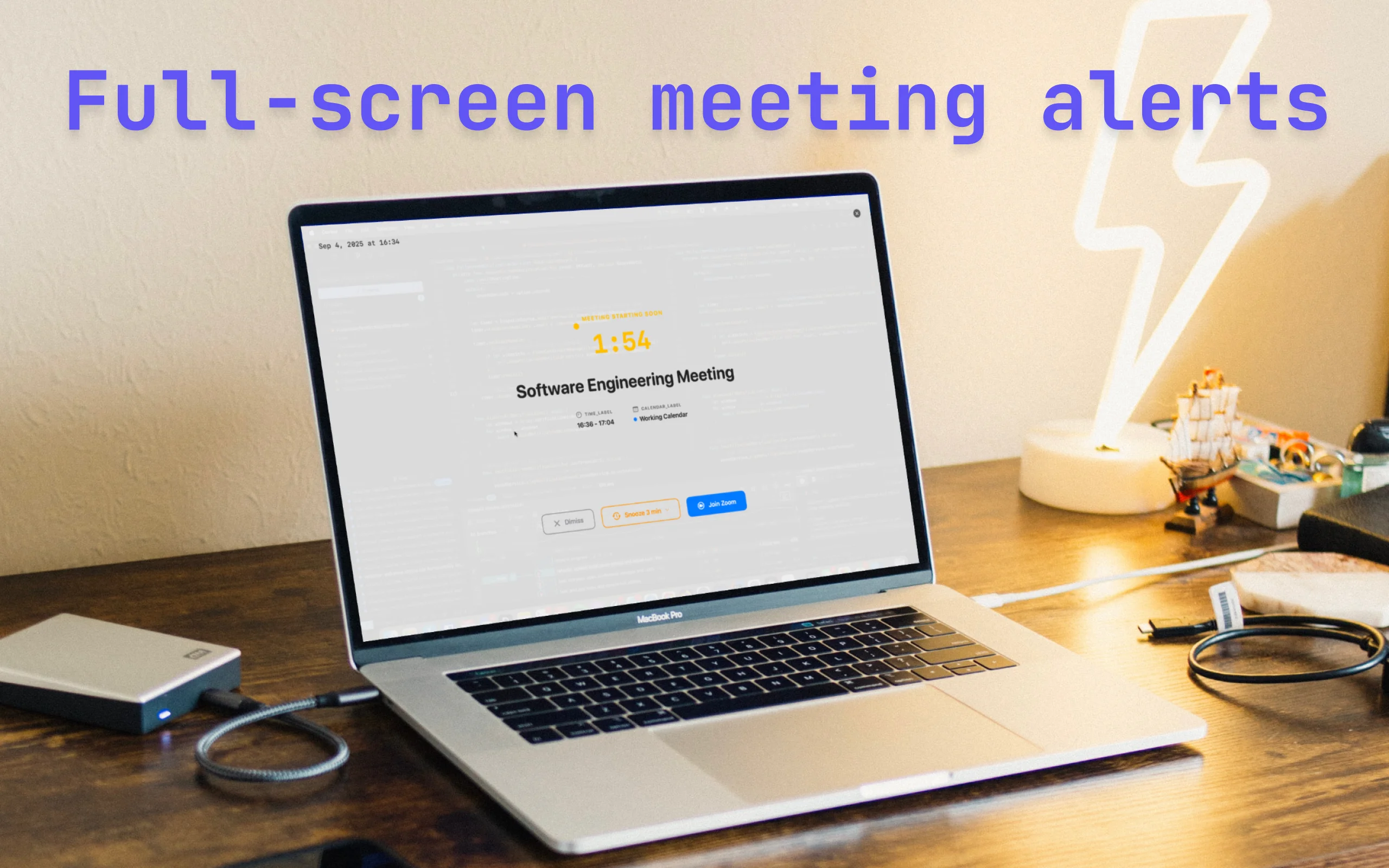
Deep work shouldn't mean missed meetings
We've all been there - lost in code, forgetting the world exists, until...
Notifications get buried
Calendar alerts are easy to miss when you're in the zone. That tiny popup? Gone in seconds while you're deep in focus mode.
ADHD time blindness is real
15 minutes vanishes during hyperfocus. One moment you're coding, the next you've missed the standup. Again.
Back-to-back calls
Remote work = constant meetings. One missed call derails your entire day and makes you look unprofessional.
Deep in flow state...
Tiny notification (missed!)
Meeting started 5 min ago!
How it works
Three simple steps to never miss another meeting
Native Calendar access
Reads from macOS Calendar app using native frameworks. Works with any calendar already in your system - iCloud, Google, Outlook, Exchange.
Impossible-to-miss alerts
Full-screen takeover 5 minutes before your meeting. Customizable timing and alert styles.
One-click join
Direct launch to Zoom, Meet, Teams, or 20+ platforms. No hunting for links in emails.
Packed with features
Everything you need to stay on top of your meeting schedule
Fullscreen Alerts
Beautiful fullscreen notifications that grab your attention. Impossible to miss when it matters most.
Fast Join to Conference
One-click joining of video conferences with smart URL detection. Works with Zoom, Meet, Teams, and more.
Adjustable Notifications
Customizable reminder times and notification sounds. Set alerts to 0s, 30s, 1m, 5m, 10m, or 15m before meetings.
Menu Bar Info
Always accessible from your menu bar with quick meeting overview. See what's coming up at a glance.
Keyboard Shortcuts
ESC to dismiss, Enter to join meetings, S to snooze (3min). Hold snooze button for custom time options.
Complete Privacy
We do not collect or store any user data. Your calendar data stays private and secure on your device.
See It In Action
Full-Screen Alerts
Impossible to miss - takes over your entire screen
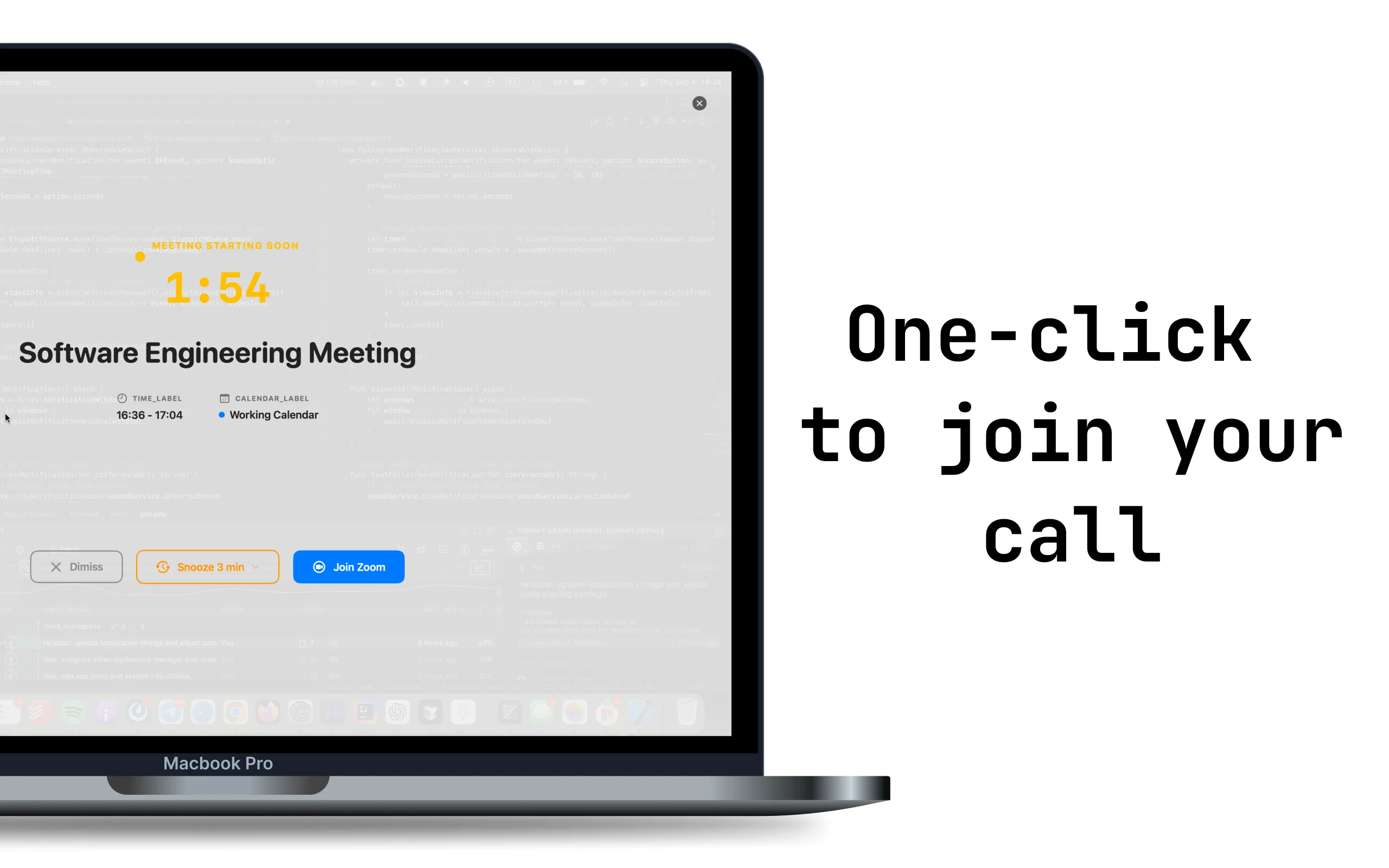
One-Click Join
Jump into your meeting with a single click
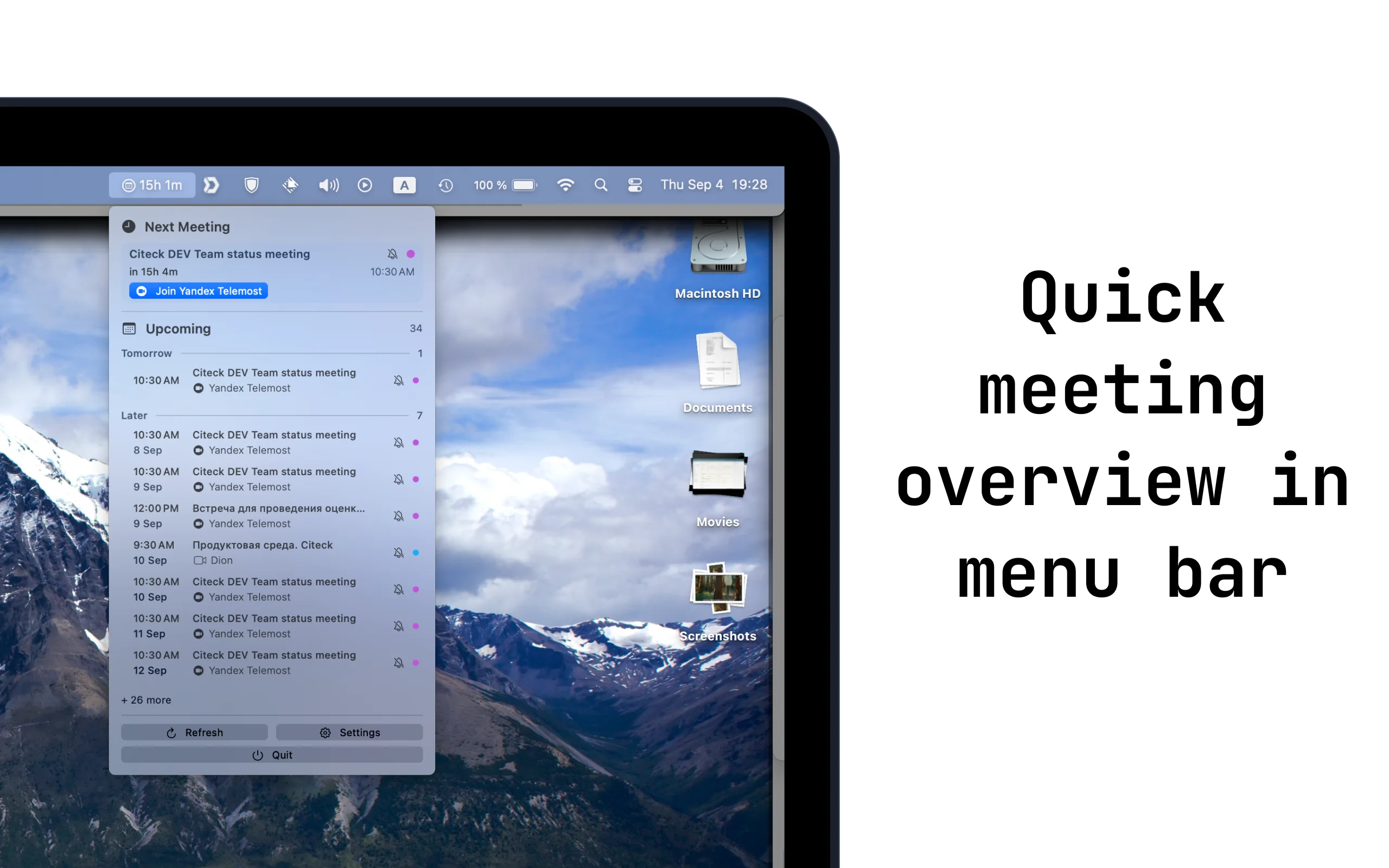
Quick Overview
See upcoming meetings right from your menu bar
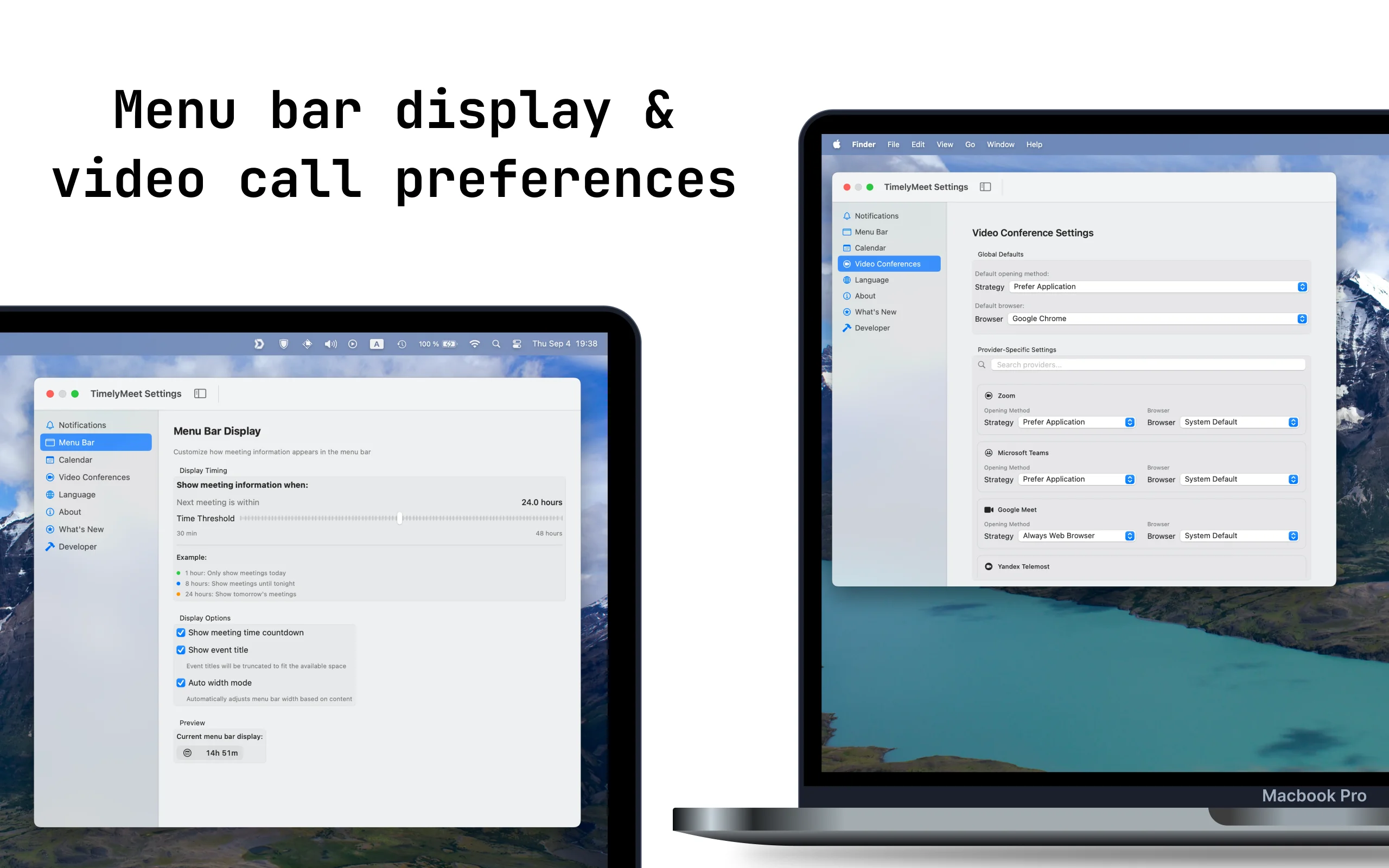
Customizable
Adjust timing, platforms, and notification styles
Native macOS app
Privacy-first design
Highly customizable
What Remote Workers Say
Loved by remote workers and developers
"As someone with ADHD, TimelyMeet is a lifesaver. No more panicked 'oh no' moments when I realize I'm 10 minutes late to a call."
"Finally, a meeting reminder I can't ignore. Worth every penny. The full-screen alerts actually work!"
"Integrates perfectly with my 15 daily meetings. Game changer for remote work. I haven't missed a single meeting since installing."
Completely Free Forever
No subscriptions. No hidden fees. All features are free.
TimelyMeet
- ✓ Fullscreen meeting alerts
- ✓ One-click conference joining
- ✓ Adjustable notification times
- ✓ Customizable reminder sounds
- ✓ Meeting info in menu bar
- ✓ Keyboard shortcuts (ESC, Enter, S)
- ✓ Snooze with custom time options
- ✓ All calendar integrations
- ✓ Complete privacy - no data collection
macOS 15.0+ required
Frequently Asked Questions
Everything you need to know about TimelyMeet
TimelyMeet uses macOS's native Calendar framework. You grant permission once during setup, and it securely reads your calendar events. We never upload your data to any server - everything stays local on your Mac.
We support 20+ platforms including Zoom, Google Meet, Microsoft Teams, Webex, Skype, Discord, Slack calls, and more. If there's a clickable meeting link, TimelyMeet can launch it with one click.
Yes! You can set alerts to 0s, 30s, 1m, 5m, 10m, or 15m before your meetings. Choose what works best for your workflow.
Yes! TimelyMeet is completely free with no subscriptions, no hidden fees, and no premium tiers. All features are available to everyone.
We do not collect or store any user data. Your calendar data stays private and secure on your device. TimelyMeet runs 100% locally on your Mac.
ESC to dismiss alerts, Enter to join meetings, and S to snooze for 3 minutes. You can also hold the snooze button for custom time options.
Yes! Press S to snooze for 3 minutes, or hold the snooze button to choose custom time options including 1m, 3m, 5m, or until the meeting starts.
TimelyMeet requires macOS 15.0 (Sequoia) or later. It's built with Swift specifically for Mac, ensuring perfect integration with your system.